Why Is My Phone Battery Draining Overnight
Why Is My Phone Battery Draining Overnight – Many smartphone users experience the frustrating issue of their phone battery losing significant charge while they sleep. This common problem can disrupt daily routines and lead to anxiety about whether your device will last through the day.
What Is Happening
When you wake up to find your phone battery level significantly lower than when you went to bed, it can be perplexing. Even if the phone is not in use and is resting on a nightstand, it may still be consuming power. This phenomenon is often due to various background processes and settings that continue to run even when the device appears idle.
Why This Happens
There are several reasons why your smartphone battery may be draining overnight:
- Background Apps: Many applications run in the background, constantly refreshing data and sending notifications. Apps like social media, email, and news can consume battery life even when you are not actively using them.
- Location Services: If your GPS or location services are enabled, they can use battery power to determine your position for various apps. This is particularly true for navigation and location-based services.
- Push Notifications: Some applications are set to push notifications, which requires a constant connection to the internet. This can lead to increased battery consumption, especially if multiple apps are trying to sync data simultaneously.
- Bluetooth and Wi-Fi: Leaving Bluetooth and Wi-Fi on overnight can drain battery power, especially if your phone is searching for available connections.
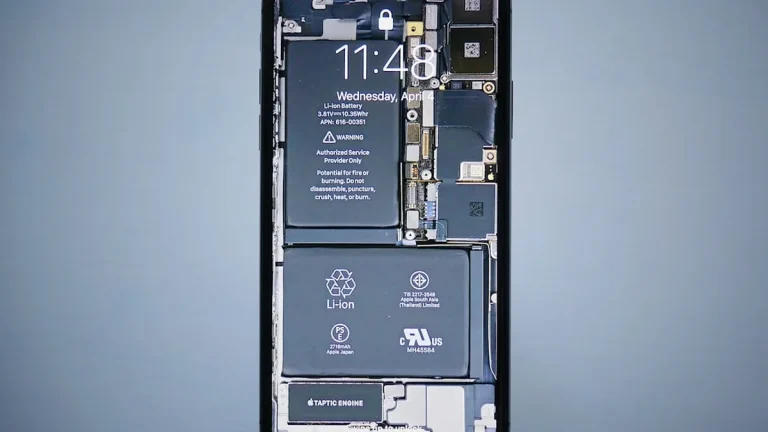
- Battery Health: Over time, batteries degrade and become less efficient. If your phone is older, the battery may not hold a charge as well as it once did.
- Software Updates: Software running in the background for updates can also contribute to battery drain. If your device is trying to update applications or the operating system, it may use more power than usual.
Who Is Affected
While anyone can experience battery drain overnight, certain groups may be more affected than others. Frequent travelers, for example, often rely heavily on their devices for navigation and communication, making them more susceptible to battery issues. Additionally, individuals who use a wide range of apps or rely on their phones for work may find that their devices drain more quickly. Users of older smartphones may also notice a more severe battery drain due to the natural degradation of battery life over time. Overall, the impact is felt across various demographics, from casual users to those who depend on their devices for professional purposes.
What You Can Do
- Close Background Apps: Before going to bed, ensure that all unnecessary applications are closed. This can significantly reduce the amount of power consumed overnight.
- Adjust Settings: Turn off location services, Bluetooth, and Wi-Fi if they are not needed. Additionally, consider disabling push notifications for apps that do not require immediate attention.
- Optimize Battery Settings: Most smartphones have battery optimization features that can help manage battery usage. Enable these settings to extend battery life effectively.
- Keep Software Updated: Ensure that your phone’s operating system and applications are up-to-date. Updates often include performance improvements and bug fixes that can enhance battery efficiency.
- Consider Battery Replacement: If your phone is older and the battery life has significantly declined, it may be worth considering a battery replacement to restore performance.
FAQ
How can I check which apps are using the most battery? You can check your battery usage in the settings menu of your phone. This feature provides insights into which applications are consuming the most power, allowing you to make informed decisions about app usage.