Why Does My Phone Lag After Update
Why Does My Phone Lag After Update
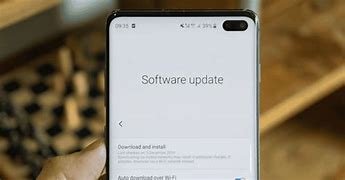
Many people notice that their phones start to lag after they update their operating system. This can be frustrating, especially if you rely on your phone for daily tasks. Understanding why this happens can help you manage the situation better.
Common Reasons for Lag After an Update
There are several reasons why your phone may lag after an update. Here are some of the most common ones:
- Increased System Requirements: Updates often come with new features that require more resources. If your phone is older, it may struggle to keep up with these demands.
- Background Processes: After an update, your phone may run many background processes. These processes can slow down your device as they work to update apps and settings.
- App Compatibility: Some apps may not be compatible with the new operating system. This can cause them to run poorly or even crash, leading to a laggy experience.
- Cache Build-Up: Updates can create a lot of temporary files. If these files build up, they can slow down your device until they are cleared.
- Software Bugs: New updates may have bugs that impact performance. These issues can cause apps to freeze or slow down your phone.
How to Fix Lag After an Update
If you experience lag after an update, there are several steps you can take to improve your phone’s performance:
- Restart Your Phone: A simple restart can often resolve lag issues. This can clear temporary files and stop unnecessary processes.
- Check for App Updates: Make sure all your apps are updated. Developers often release updates to ensure their apps work well with the latest operating system.
- Clear Cache: Go to your phone’s settings and clear the cache for individual apps. This can free up space and improve performance.
- Uninstall Unused Apps: Remove apps you no longer use. They can take up valuable resources and contribute to lag.
- Factory Reset: If the lag persists, consider performing a factory reset. This will erase all data on your phone, so be sure to back up important information first.
When to Seek Professional Help
If you have tried all the above solutions and your phone still lags, it may be time to seek professional help. There could be underlying issues that require expert attention.
Check with the manufacturer’s support or visit a local repair shop. They can diagnose the problem and suggest the best course of action.
Conclusion
Experiencing lag after a phone update can be annoying, but it is a common issue. By understanding the reasons behind it and taking steps to fix it, you can improve your phone’s performance. Regular maintenance and being mindful of your apps can help keep your device running smoothly.