Why Does My Laptop Overheat While Charging
Why Does My Laptop Overheat While Charging – Many laptop users experience overheating issues, particularly during charging. This phenomenon can be concerning, as it raises questions about the device’s longevity, performance, and safety. Understanding the reasons behind laptop overheating can help users take appropriate measures to mitigate the issue.
What Is Happening
When a laptop overheats while charging, it typically means that the internal components are generating more heat than the cooling system can dissipate. This situation can lead to reduced performance, system instability, and in some cases, potential hardware damage. The laptop’s battery, processor, and graphics card are often the primary components involved in this heat generation. Overheating can manifest as a general increase in temperature, the laptop’s fans running at high speed, or even warning messages about high temperature.
Why This Happens
There are several reasons why a laptop may overheat while charging. One of the most common causes is inadequate ventilation. Laptops are designed with cooling systems that rely on airflow to dissipate heat. If vents are blocked by dust, debris, or even the surface on which the laptop is placed, it can lead to overheating. Additionally, the laptop’s internal fans may be malfunctioning or insufficiently powerful to handle the heat generated during charging and usage.
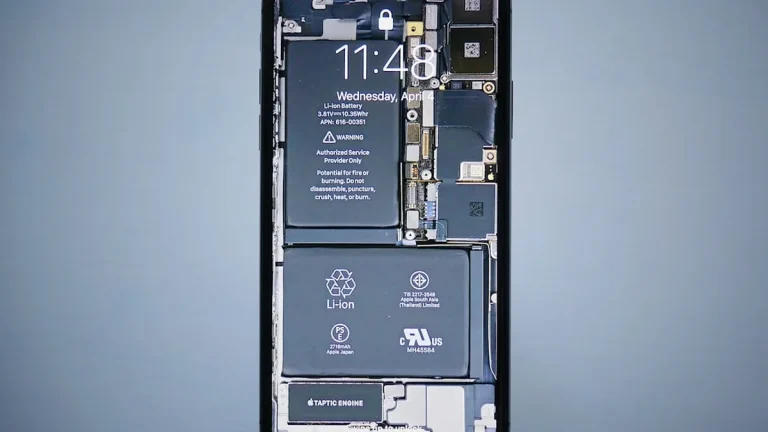
Another significant factor is the battery itself. Lithium-ion batteries, commonly used in laptops, can generate heat when charging, especially if they are near the end of their life cycle. If a battery is damaged or has a manufacturing defect, it may produce excessive heat during charging, contributing to the overall temperature increase. Furthermore, software issues can also play a role. Running resource-intensive applications while charging can increase the workload on the CPU and GPU, thus generating more heat. Background processes and updates can also consume valuable resources and exacerbate overheating problems.
Who Is Affected
Laptop overheating while charging can affect a wide range of users, from casual consumers to professionals who rely on their devices for work. Students using laptops for schoolwork, gamers playing demanding titles, and business professionals conducting video conferences can all experience disruptions due to overheating. The impact of overheating can range from minor inconveniences, such as reduced performance and system lag, to more severe consequences, including unexpected shutdowns and potential hardware failures. In some cases, prolonged overheating can lead to battery swelling or even fires, posing safety risks to users.
What You Can Do
- Ensure proper ventilation by keeping the laptop on a hard, flat surface. Avoid using it on soft surfaces like beds or couches that can block airflow.
- Regularly clean the laptop’s vents and fans to prevent dust accumulation. Use compressed air to blow out dust and debris from these areas.
FAQ
Is it normal for my laptop to get warm while charging? Yes, it is normal for laptops to become warm during charging, but excessive heat may indicate a problem. If the laptop becomes too hot to touch or exhibits performance issues, further investigation is warranted.