Why Does My Laptop Overheat Suddenly

Why Does My Laptop Overheat Suddenly
Laptops are essential tools for many people. They help us work, communicate, and entertain ourselves. However, one common problem that users face is overheating. If you notice your laptop getting hot quickly, it is important to understand why this happens and what you can do about it.
What Causes Overheating?
There are several reasons why a laptop may overheat. Understanding these causes can help you take steps to prevent it.
- Blocked Air Vents: Laptops have air vents that allow heat to escape. If these vents are blocked by dust or debris, hot air cannot leave the laptop, causing it to overheat.
- Old or Failing Hardware: Components like the CPU and GPU generate heat during use. If these parts are old or damaged, they may produce more heat than usual.
- High-Performance Tasks: Running demanding software, such as video games or graphic design programs, can cause your laptop to work harder, generating more heat.
- Poor Ventilation: Using your laptop on soft surfaces like beds or couches can block ventilation. It is best to use your laptop on a hard, flat surface.
- Malware or Viruses: Some malicious software can make your laptop work harder by using resources without your knowledge. This can lead to overheating.
How to Identify Overheating
It is important to know the signs of an overheating laptop. Common indicators include:
- Your laptop feels hot to the touch, especially around the vents.
- The fan is running loudly or constantly.
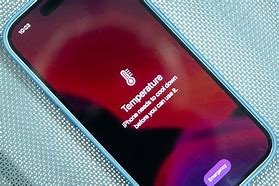
- The laptop suddenly shuts down or restarts without warning.
- You notice reduced performance or lag during tasks.
How to Prevent Overheating
Taking care of your laptop can help prevent overheating. Here are some simple tips:
- Clean the Vents: Regularly check and clean the air vents. Use compressed air to remove dust and debris.
- Use a Cooling Pad: A cooling pad can help provide extra airflow to your laptop, keeping it cooler.
- Keep Software Updated: Regular updates can fix bugs that may cause overheating. Ensure your operating system and drivers are up to date.
- Limit Heavy Tasks: If your laptop gets too hot while gaming or editing videos, consider taking breaks in between or reducing the workload.
- Run Antivirus Software: Use reliable antivirus programs to scan for malware. Remove any threats that could cause your laptop to overwork.
When to Seek Professional Help
If your laptop continues to overheat despite taking preventive measures, it may be time to seek professional help. Here are some signs that indicate the need for expert assistance:
- Repeated overheating issues that do not improve with cleaning and maintenance.
- Strange noises coming from the laptop, such as grinding or clicking sounds.
- Visual signs of damage, like burnt smells or discolored areas on the laptop.
Conclusion
Overheating can be a serious issue for laptops, affecting performance and lifespan. Understanding the causes and signs of overheating can help you address the problem early. By taking preventive measures, you can keep your laptop running smoothly and safely. If problems persist, don’t hesitate to seek help from a professional technician. Taking care of your laptop will ensure that it serves you well for years to come.