iPhone Freezing Randomly
iPhone Freezing Randomly – In today’s fast-paced world, smartphones are essential tools for communication, work, and entertainment. However, many iPhone users have experienced a frustrating issue: their devices freeze unexpectedly. This problem can disrupt daily tasks and lead to feelings of annoyance and helplessness.
What Is Happening
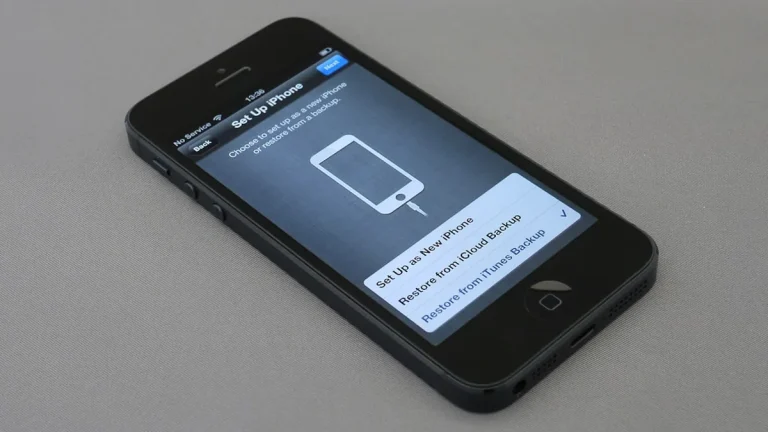
When an iPhone freezes randomly, it typically becomes unresponsive to touch inputs, and the screen may display the last-used application or a blank screen. Users may find that buttons do not work, and the device does not respond to attempts to unlock it. This issue can occur at any time, whether during a call, browsing the internet, or using apps. The freezing may last for a few seconds, or in some cases, the phone may require a restart to regain functionality.
Why This Happens
There are several potential causes for an iPhone freezing randomly. One common reason is software glitches, which may arise from outdated operating systems or incompatible applications. When the iPhone’s operating system is not updated, it may not work optimally with newer apps, leading to freezing issues. Additionally, if an application is poorly designed or not functioning correctly, it can cause the entire system to become unstable.
Another factor contributing to this issue can be hardware problems. For instance, if the device has sustained physical damage, such as a drop or exposure to moisture, it may result in malfunctioning components. Memory issues can also play a role; if the device’s storage is nearly full, it can slow down performance and increase the likelihood of freezing.
Lastly, background processes can affect the device’s performance. When too many applications are running simultaneously, it may strain the iPhone’s resources, leading to temporary freezes. Understanding these causes can help users identify potential solutions.
Who Is Affected
The impact of a randomly freezing iPhone extends beyond mere inconvenience. Individuals who rely heavily on their devices for work or communication may experience significant disruptions. This issue can lead to lost productivity, missed calls, and frustration, particularly in professional environments where timely communication is crucial. Moreover, frequent freezing may cause anxiety for users who depend on their iPhones for navigation or emergency situations.
Additionally, this problem can affect users of all ages, but it may be more pronounced among those who are less tech-savvy. Older adults, for example, may feel overwhelmed by a device that does not respond as expected, leading to increased reliance on others for assistance. Understanding the widespread nature of this issue highlights the importance of addressing it promptly.
What You Can Do
- Restart Your iPhone: A simple restart can often resolve temporary glitches causing the freezing. To restart your device, press and hold the power button until the “slide to power off” option appears, then slide to turn off the device. Wait a few seconds, then turn it back on.
- Update Software: Ensure that your iPhone is running the latest version of iOS. Navigate to Settings > General > Software Update to check for and install any available updates. Keeping your software up to date can help prevent compatibility issues.
FAQ
Why does my iPhone freeze even after restarting it? It may freeze due to unresolved software issues or hardware malfunctions. If restarting does not solve the problem, consider checking for software updates or seeking professional assistance to diagnose potential hardware issues.