How to Reduce Laptop Fan Noise
How to Reduce Laptop Fan Noise – In an age where we rely heavily on laptops for work, leisure, and study, the constant hum of a laptop fan can be both distracting and frustrating. Understanding the causes of fan noise and how to mitigate it can enhance your overall computing experience.
What Is Happening
When you hear your laptop fan running loudly, it is usually a sign that the system is working hard to cool itself down. Laptops are designed with internal cooling systems that rely on fans to dissipate heat generated by the processor and other components. However, excessive fan noise can indicate that your laptop is struggling to maintain optimal temperatures, which can hinder performance and lead to other issues.
Why This Happens
There are several reasons why your laptop fan may be running louder than usual. One of the primary causes is high CPU or GPU usage, often due to resource-intensive applications, multitasking, or background processes. Dust accumulation inside the laptop can also block airflow, causing the fan to work harder to cool the components. Additionally, outdated drivers or software can lead to inefficient performance, prompting the fan to operate at higher speeds. Finally, poor ventilation, whether due to the laptop being used on a soft surface or in a confined space, can exacerbate overheating and result in increased fan noise.
Who Is Affected
Anyone who uses a laptop can be affected by fan noise, but it is particularly bothersome for individuals working in quiet environments such as libraries, offices, or during presentations. Gamers and content creators who require high-performance laptops may also find the noise distracting, as it detracts from an immersive experience. In extreme cases, prolonged exposure to excessive noise can lead to reduced concentration and productivity, making it essential to address the issue.
What You Can Do
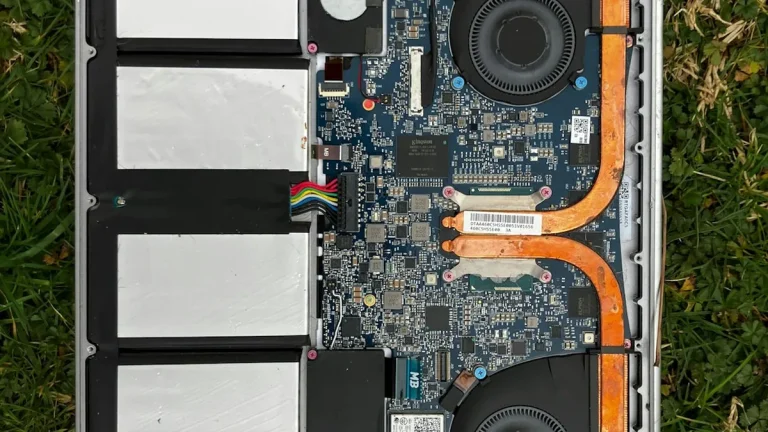
- Clean the Laptop Internally: Over time, dust and debris accumulate inside your laptop, obstructing airflow. Carefully open your laptop (if possible) and use compressed air to blow out dust from the cooling vents and fans. Regular cleaning can significantly reduce noise and improve cooling efficiency.
- Adjust Power Settings: Access your laptop’s power settings and select a balanced or power-saving mode. This will limit CPU usage and decrease the workload on your laptop, which can help reduce fan activity. Additionally, consider closing unnecessary applications and background processes that may be consuming system resources.
FAQ
How often should I clean my laptop to reduce fan noise? It is advisable to clean your laptop every six months to a year, depending on the environment in which you use it. Dusty or humid environments may require more frequent cleaning.