Driver Update Causing Game Crashes
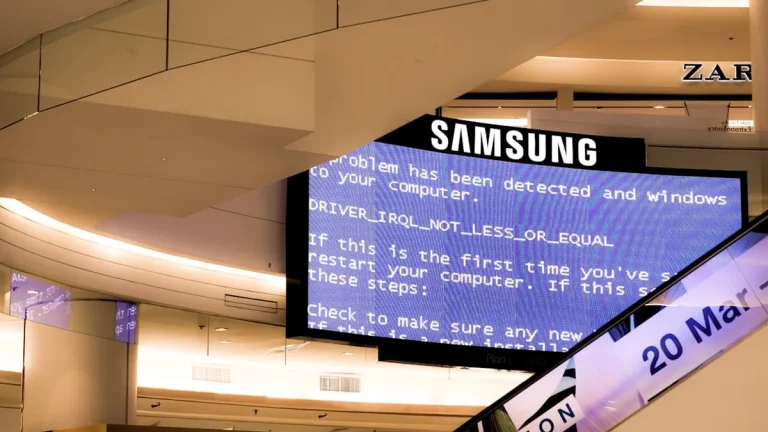
Driver Update Causing Game Crashes – In recent months, gamers worldwide have reported a troubling increase in game crashes following routine driver updates. This issue has spurred frustration and confusion, as players seek to enjoy their favorite titles without interruption. Understanding the underlying causes and potential solutions is crucial for anyone affected by this problem.
What Is Happening
Many gamers have noticed that their systems become unstable after updating their graphics drivers. These updates, designed to enhance performance and compatibility with new games, can inadvertently introduce issues that result in crashes during gameplay. Reports indicate that crashes can occur at various points, including during startup, mid-game, or even during online play. This inconsistency adds to the challenge, as it can be difficult for players to pinpoint the exact cause of the crashes.
Why This Happens
Several factors contribute to the crashes associated with driver updates. First, the new drivers may not be fully compatible with certain games or system configurations. Game developers may not have had adequate time to optimize their titles for the latest driver versions, leading to conflicts. Additionally, bugs within the driver itself can cause instability. Manufacturers often rush to release updates to fix issues or enhance performance, but this can sometimes result in new problems.
Another contributing factor is the diversity of hardware configurations. Gamers use a wide range of components, from various graphics cards to differing amounts of RAM and processor types. A driver that works perfectly on one system may cause issues on another. This variability makes it challenging for developers and manufacturers to ensure universal compatibility across all setups.
Who Is Affected
The impact of driver-related crashes is felt across the gaming community, affecting casual gamers and professionals alike. For casual players, frequent crashes can lead to frustration and diminished enjoyment of their gaming experience. For competitive gamers, these crashes can have serious implications, affecting their performance in tournaments or online matches. Moreover, streamers and content creators face additional challenges, as crashes can disrupt their broadcasts and negatively impact viewer engagement.
What You Can Do
- Roll Back the Driver: If you are experiencing crashes after a recent update, consider rolling back to the previous driver version. This can often resolve stability issues until a more compatible driver is released.
- Check for Game Updates: Ensure that the games you are playing are updated to their latest versions. Game developers frequently release patches to address compatibility issues with new drivers, which can help mitigate crashes.
FAQ
Why do driver updates cause crashes in games? Driver updates can introduce incompatibilities with existing games or contain bugs that lead to system instability, causing crashes during gameplay.