Why Does My Laptop Get Hot Near Keyboard
Why Does My Laptop Get Hot Near Keyboard – If you have ever felt the heat radiating from your laptop’s keyboard during use, you are not alone. Many laptop users experience this phenomenon, and it can be concerning. Understanding why this occurs is essential for maintaining your device’s performance and longevity.
What Is Happening
When a laptop heats up near the keyboard, it usually indicates that internal components are generating excess heat. This heat can escape through the keyboard, making it feel warm or even hot to the touch. While some heat is normal during operation, excessive warmth can be a sign of underlying issues that could affect your laptop’s functionality.
Why This Happens
Several factors contribute to the heating of laptops near the keyboard. The most common causes include:
- Processor Activity: The central processing unit (CPU) is a significant source of heat. When running demanding applications such as video editing software or complex games, the CPU works harder, generating more heat that can radiate towards the keyboard area.
- Graphics Processing Unit (GPU) Usage: Similar to the CPU, the GPU generates heat when rendering graphics. This is particularly noticeable in gaming laptops or those used for graphic design and 3D modeling.
- Insufficient Ventilation: Laptops are designed with ventilation systems to dissipate heat. However, if air vents are blocked by dust or debris, or if the laptop is placed on a soft surface like a bed or couch, airflow is restricted, leading to heat buildup.
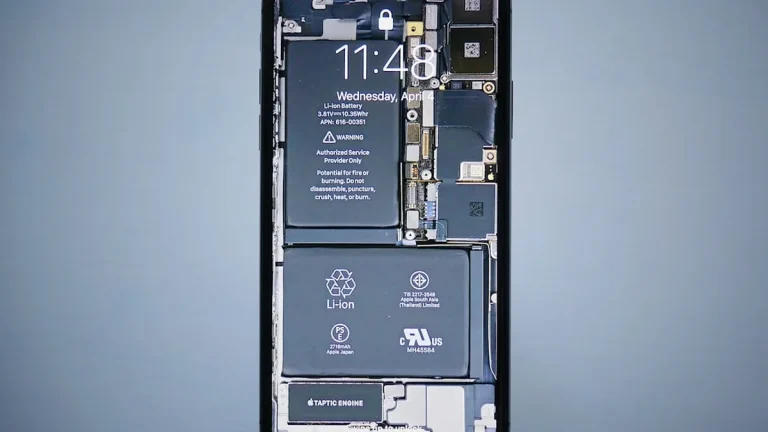
- Battery Issues: An aging or failing battery can also generate heat. If the battery is unable to hold a charge efficiently, it may overheat during use.
- Cooling System Malfunction: Laptops rely on fans and heat sinks to manage temperature. If these components are malfunctioning or have accumulated dust, they may not cool the laptop effectively, resulting in higher temperatures.
Who Is Affected
The overheating issue can affect anyone who uses a laptop, but some users are more susceptible than others. Gamers and professionals who run resource-heavy applications may notice the issue more frequently due to the high processing demands on their devices. Additionally, users who frequently operate their laptops on soft surfaces might experience overheating due to restricted airflow. Over time, excessive heat can lead to hardware damage, reduced performance, and shortened lifespan of the laptop.
What You Can Do
- Ensure Proper Ventilation: Always use your laptop on a hard, flat surface to allow for adequate airflow. Consider investing in a laptop cooling pad to enhance airflow and help manage heat.
- Regular Maintenance: Periodically clean your laptop’s vents and fans to remove dust and debris. If you are comfortable doing so, you can open the laptop for a more thorough cleaning or take it to a professional service.
FAQ
Is it normal for my laptop to get warm? Yes, it is normal for laptops to become warm during use, especially when performing resource-intensive tasks. However, if the laptop gets excessively hot or uncomfortable to touch, it is advisable to investigate the cause.