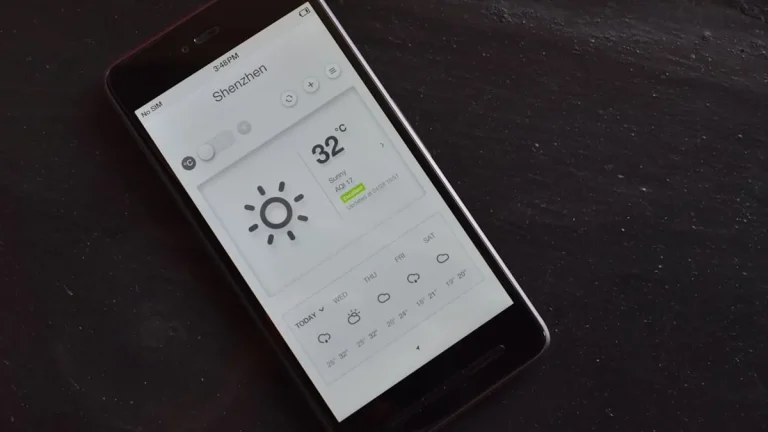
Android Phone No Service Error
Android Phone No Service Error – For many users, encountering a “No Service” error on their Android phones can be frustrating and inconvenient. This issue typically prevents users from making calls, sending texts, or accessing mobile data. Understanding the underlying causes and potential solutions can help restore connectivity and enhance the user experience.
What Is Happening
The “No Service” error on Android phones indicates that the device is unable to connect to the cellular network. This situation can arise in various circumstances, such as when the phone displays a “No Service” message, shows only emergency calls available, or fails to register with the network entirely. When this error occurs, users may find themselves unable to communicate effectively, leading to a sense of isolation and disruption in daily activities.
Why This Happens
There are several reasons why an Android phone might display a “No Service” error. The most common causes include:
- Network Coverage Issues: One of the primary reasons for the “No Service” error is poor or nonexistent cellular coverage in the area. This can be due to geographical barriers, network maintenance, or outages.
- SIM Card Problems: A damaged, improperly inserted, or inactive SIM card can prevent the phone from connecting to the network. If the SIM card is not seated correctly, it may not establish a connection with the carrier.
- Software Glitches: Sometimes, temporary software glitches or bugs in the operating system can interfere with a phone’s ability to connect to its network. These glitches can often be resolved through simple troubleshooting steps.
- Carrier Settings: Outdated or incorrect carrier settings can also lead to connectivity issues. These settings are crucial for your phone to communicate with your mobile network, and if they are not updated, problems may arise.
- Hardware Issues: In rare cases, hardware malfunctions, such as a defective antenna, can cause the “No Service” error. This may require professional repair or replacement of the device.
Who Is Affected
The “No Service” error affects a wide range of users, regardless of the Android device model or manufacturer. Individuals who rely heavily on their phones for communication, work, or navigation may find the inability to connect particularly disruptive. This issue can impact anyone, from busy professionals who need to stay in touch with clients to parents coordinating activities for their children. Additionally, those living in rural or remote areas may experience this issue more frequently due to limited network infrastructure.
What You Can Do
- Check Network Coverage: Before troubleshooting your device, ensure that you are in an area with adequate network coverage. If possible, try to move to a different location to see if the issue persists.
- Inspect Your SIM Card: Remove the SIM card from your phone and check for any signs of damage. Reinsert it securely, ensuring it is properly seated in the tray. If the problems continue, consider testing the SIM card in another phone or obtaining a replacement from your carrier.
- Restart Your Device: A simple restart can often rectify temporary software glitches. Power off your device completely, wait a few moments, and then turn it back on.
- Update Carrier Settings: Navigate to your device settings to check for any available carrier settings updates. Keeping these settings up to date can help ensure proper connectivity.
- Factory Reset (as a last resort): If all else fails, back up your important data and perform a factory reset on your device. This action will restore your phone to its original state and eliminate any software-related issues.
FAQ
What should I do if none of the steps work? If you have tried all troubleshooting steps and still face the “No Service” error, it may be time to contact your mobile carrier for assistance. They can help determine if there is an issue with your account or the network in your area. Additionally, consider visiting a professional technician if hardware issues are suspected.