Why Is My Android Phone Heating Up

Why Is My Android Phone Heating Up?
Many people notice that their Android phones can become quite warm during use. This can be concerning, especially if it happens frequently. In this article, we will explore the reasons why your Android phone may be heating up and what you can do about it.
Common Reasons for Heating
There are several common reasons why your Android phone might get hot. Understanding these reasons can help you find a solution.
- Heavy Usage: If you are playing games, streaming videos, or using apps that require a lot of processing power, your phone may heat up. This is normal as the processor works harder.
- Background Apps: Some apps continue to run in the background, using resources and generating heat. Closing these apps can help reduce heating.
- Poor Signal: When your phone struggles to find a signal, it works harder to connect. This can lead to overheating, especially in low-signal areas.
- Environmental Factors: Using your phone in direct sunlight or a hot environment can cause it to heat up. Make sure to keep your phone in a cool place.
- Software Updates: Sometimes, after a software update, your phone may heat up as it adjusts to new features or fixes. This usually settles down after a while.
How to Prevent Overheating
If you find that your phone is heating up often, there are several steps you can take to prevent it. Here are some tips:
- Close Unused Apps: Regularly check for apps running in the background and close those you don’t need.
- Reduce Screen Brightness: Lowering the screen brightness can help reduce heat generation.
- Limit Gaming Sessions: Take breaks while playing games to allow your phone to cool down.
- Remove the Case: If you use a phone case, remove it during heavy usage to allow better airflow.
- Keep Software Updated: Ensure your phone’s software is up to date, as updates often include performance improvements.
When to Seek Help
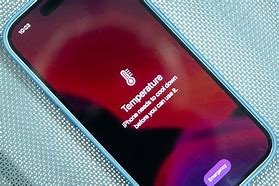
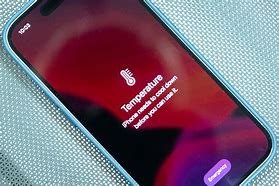
While some heating is normal, there are times when it’s a cause for concern. If your phone becomes excessively hot to the touch, it could indicate a more serious issue. Here are signs that you should seek help:
- If your phone shuts down by itself due to overheating.
- If the battery swells or looks damaged.
- If overheating happens frequently, even with light usage.
- If you notice any unusual behavior, like apps crashing or the phone freezing.
In these cases, it may be best to consult a professional technician or contact the manufacturer.
Conclusion
Heating issues with Android phones can be annoying but are often manageable. By understanding the reasons behind the heating and taking preventive measures, you can keep your phone running smoothly. Always pay attention to any unusual behavior and seek help if needed. Taking good care of your device will ensure that it lasts longer and performs better.