Why Does My Phone Lag After Update
Why Does My Phone Lag After Update
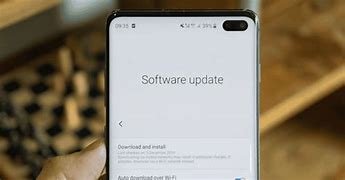
Have you ever noticed that your phone starts to lag after you update its software? This is a common experience for many users. In this article, we will explore the reasons why this happens and what you can do about it.
What is Lag?
Lag refers to the delay between your actions and your phone’s response. For example, when you tap an app and it takes longer than usual to open. This can be frustrating, especially if you are used to your phone working smoothly.
Reasons for Lag After an Update
There are several reasons why your phone may lag after a software update. Here are some of the main causes:
- New Features: Updates often come with new features and improvements. These features may require more processing power or memory, which can slow down older devices.
- Background Processes: After an update, your phone may run background processes to optimize the system. This can temporarily slow down your phone as it works to adjust.
- App Compatibility: Some apps may not work well with the new software. If an app is outdated or not optimized for the latest version, it can cause lag.
- Cache Build-Up: Updates can lead to an increase in cached data. If your cache is full, it can slow down your device.
- Software Bugs: Sometimes, new updates come with bugs that can cause lag. These issues are usually fixed in subsequent updates.
What Can You Do About It?
If your phone is lagging after an update, there are several steps you can take to improve its performance:
- Restart Your Phone: A simple restart can clear temporary files and refresh the system, which may help reduce lag.
- Clear Cache: Go to your phone settings and clear the cache for individual apps or the entire system. This can free up space and improve speed.
- Update Apps: Make sure all your apps are updated to the latest versions. Developers often release updates to fix compatibility issues.
- Uninstall Unused Apps: If you have apps that you no longer use, consider uninstalling them. This can free up storage and improve performance.
- Factory Reset: If lag persists, a factory reset might be necessary. This will erase all data and restore your phone to its original settings. Be sure to back up your data first.
When to Seek Help
If you have tried all the above steps and your phone is still lagging, it may be time to seek help. Contact your phone’s customer support or visit a service center. They can provide more specific solutions based on your device.
Conclusion
Experiencing lag after a phone update can be frustrating, but it is a common issue. By understanding the reasons behind the lag and taking appropriate steps, you can improve your phone’s performance. Regular maintenance, such as updating apps and clearing cache, can help keep your phone running smoothly for longer. If problems persist, do not hesitate to seek professional assistance.